Commission Plan Advanced Settings
Commission Plan advanced settings allow you to configure additional conditions for landing pages, countries, currency, payout timing, admin fees, and high-roller protection. This article describes the available advanced settings and provides examples of how they can be used.
In this article
Assigned to Landing Pages
This setting allows you to limit the landing pages available for a specific Commission Plan. It can be useful when several landing pages are used for different offers or promotions and a Commission Plan should be associated with a specific landing page.
Example. You have a "Limited Casino Product" campaign with its own landing page. Assign this Commission Plan to that landing page, and affiliates using the plan will see only that landing page in Assets & Links.
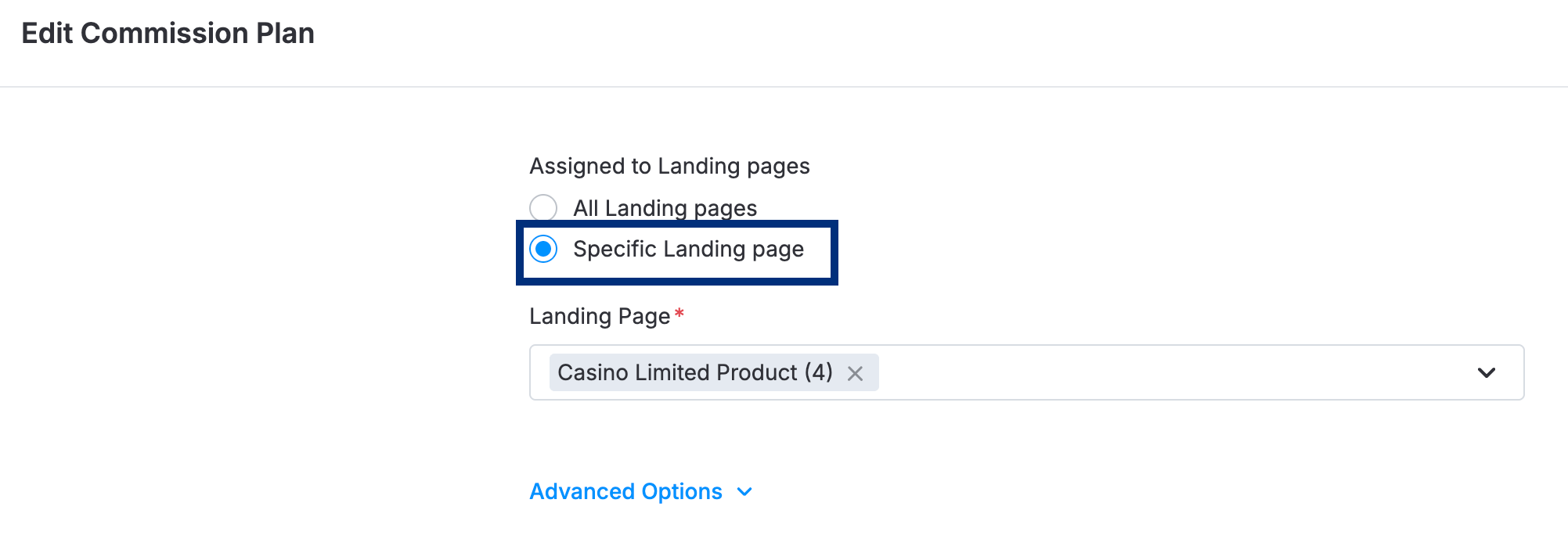
💡 This setting only changes which landing pages are displayed in the landing-page lists. It does not block traffic or affect payouts. A conversion from a different landing page on the same tracking link is still tracked and paid as normal. Switching the setting back to All Landing Pages clears the selected landing pages. If you switch back to a specific selection later, you need to select the landing pages again.
Allowed / Denied Countries
These settings allow you to specify the countries to which a Commission Plan can be applied. They can be used to configure a Commission Plan for a specific market without changing the offer's targeting or creating a separate offer.
Example. You want a Commission Plan to pay only for players from the UK and Germany. Add the UK and Germany to Allowed and leave Denied empty. Conversions from players in other countries are not paid under this plan, while the rest of the offer setup, including landing pages, tracking links, and other Commission Plans, remains unchanged.
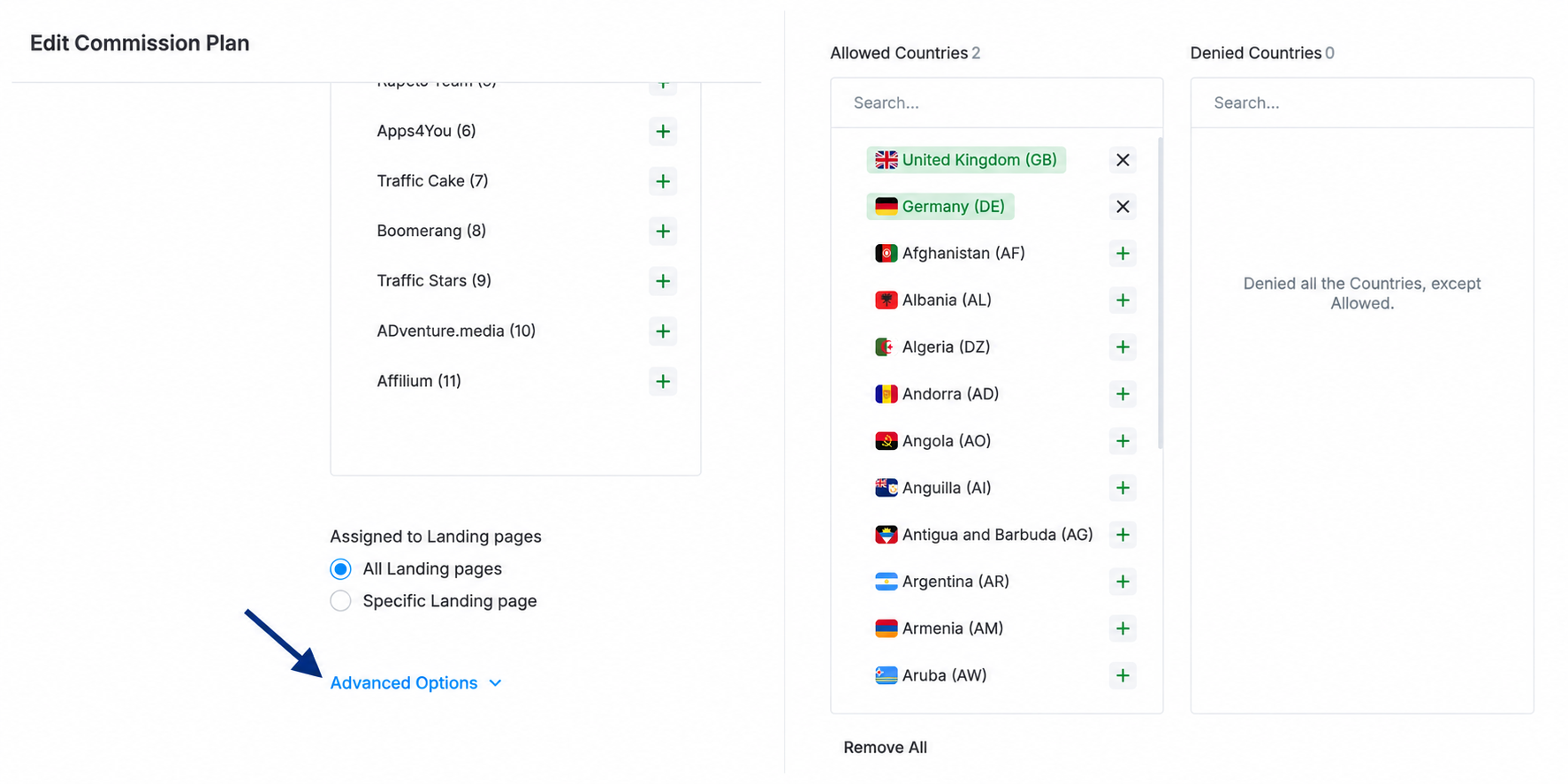
💡 By default, both lists are empty and all countries are allowed. Use either Allowed or Denied, not both. When countries are added to Allowed, the Denied list becomes irrelevant. This setting determines whether a commission is paid; it does not affect the commission amount.
Currency
The Currency setting determines the currency used for calculations within a Commission Plan. When a plan uses a specific currency, figures for conversions, qualification thresholds, and RevShare are calculated and displayed in that currency.
Example. Your brand operates in USD, but you have a Commission Plan for a EUR-paid affiliate network. Set Currency to EUR for that plan. Conversions, qualification thresholds, and the RevShare revenue base for the plan are then calculated in EUR instead of being converted from USD.
How to set it up. The Currency setting is available only when multi-currency commissions are enabled for your platform. If you don't see this field, contact our Support team.
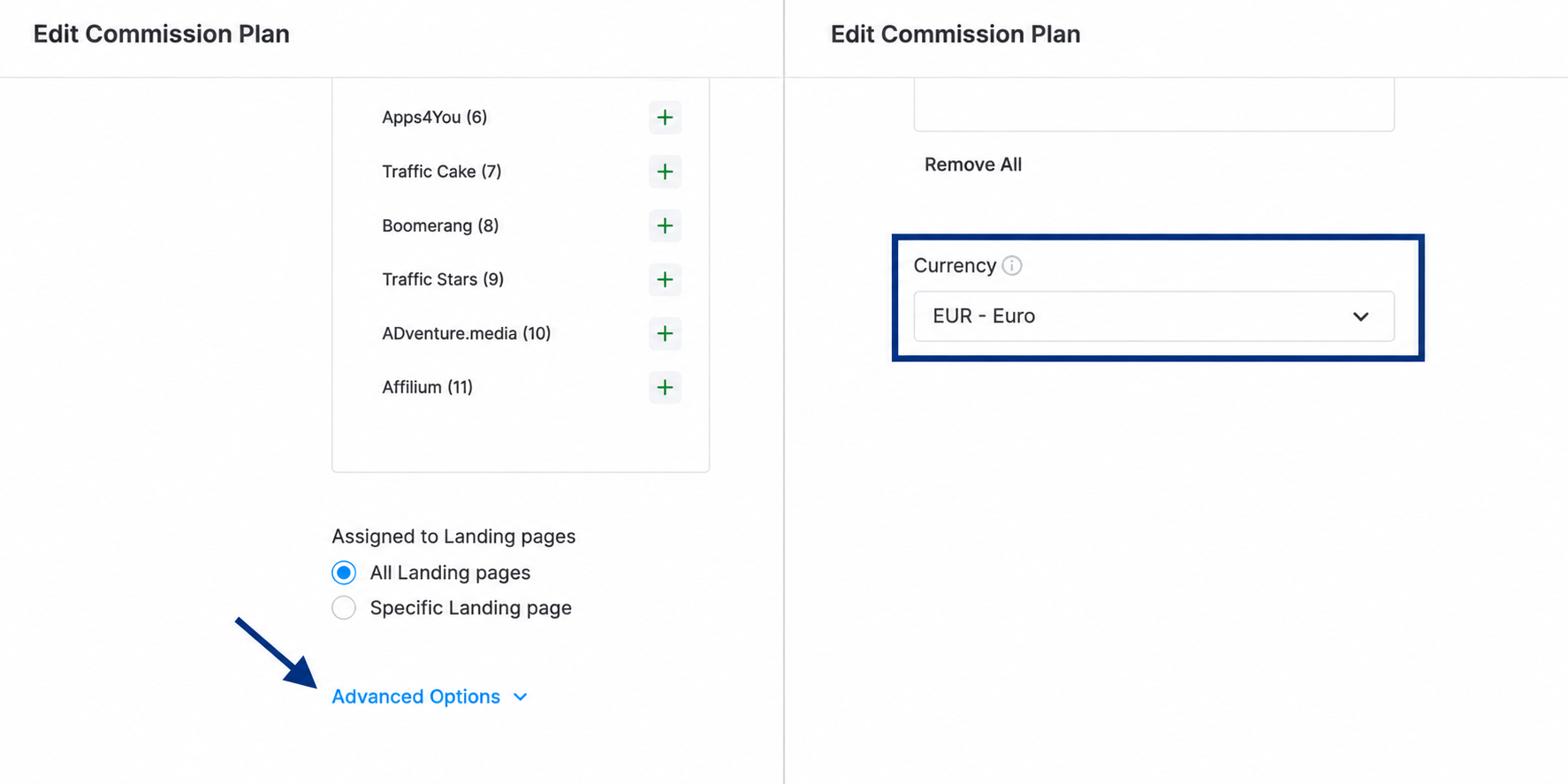
💡 Changing a plan's Currency does not convert values that have already been entered. For example, if a Progressive commission tier or a High-Roller threshold is set to 1000 in EUR, changing the plan currency to USD does not convert 1000 EUR into its USD equivalent. The value remains 1000. Review all values on a Commission Plan after changing its currency.
Hold Period (Days)
The Hold Period determines how long a conversion remains Pending before it is moved to its final status. This setting can be used when conversions may need additional time for review, for example, when a deposit can be cancelled or charged back or when a lead requires manual qualification.
Example. Set Hold Period to 7 on a CPA block. A CPA conversion recorded today is created with a Pending status. Seven days later, it automatically moves to its final status unless someone changes it manually before then. The conversion remains included in the pending balance during the hold period.
How to set it up. The Hold Period setting is available for CPA and CPL commission types.
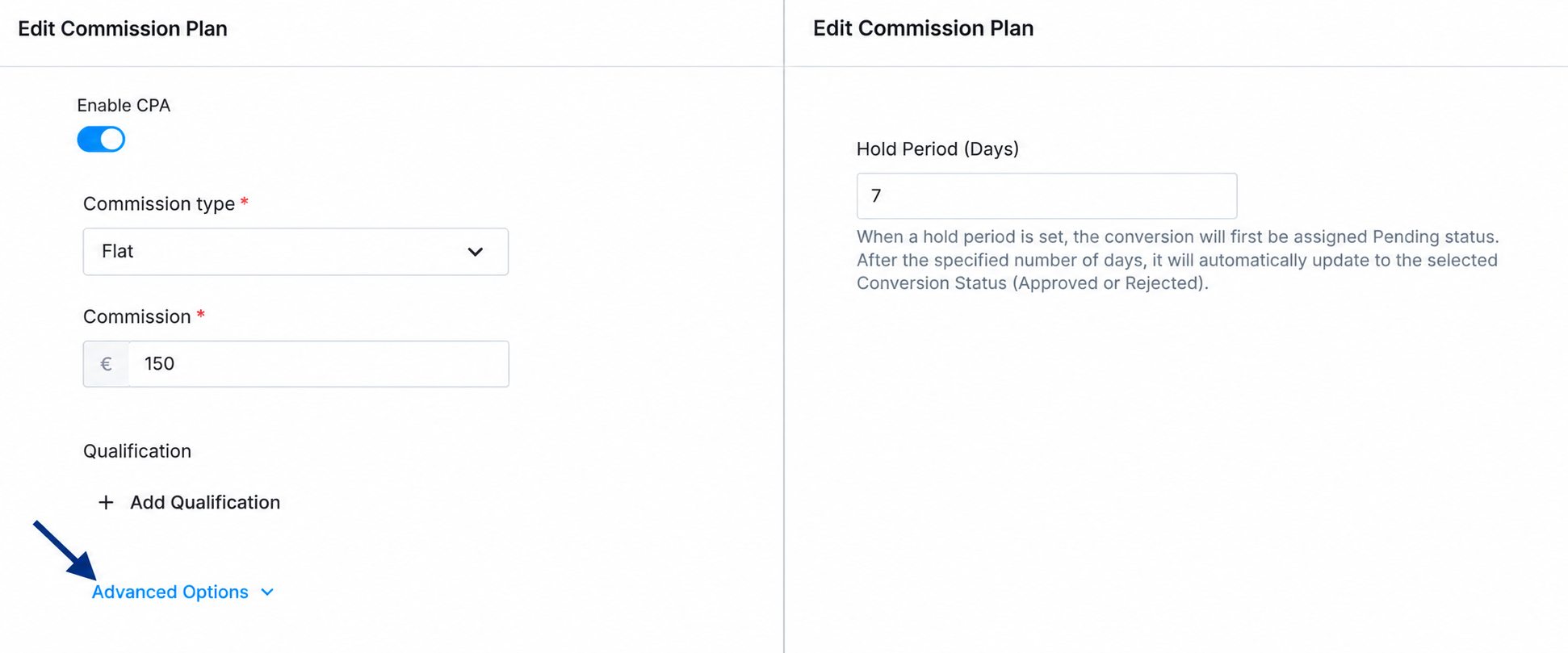
💡 The hold period is counted from the time the conversion occurs, not from the deposit date. Conversions status is updated to Approved/Rejected once a day, so the exact release time may vary by a few hours. Changing the Hold Period affects only new conversions. Conversions that are already on hold keep their original release date. A Hold Period of 0 means that no hold is applied.
Custom Admin Fee
The Custom Admin Fee setting allows you to override the standard admin fee for a specific product and Commission Plan. This setting can be used when a specific deal requires a different revenue split without changing the brand-wide admin fee or affecting other affiliates.
Example. Your brand's standard admin fee is 20%, but you have agreed to a 30% Admin Fee for the Casino product on one affiliate's Commission Plan. Add a Custom Admin Fee row for the Casino product and set it to 30%. RevShare for the Casino product is then calculated after a 30% deduction, while other products and affiliates continue to use the standard admin fee.
How to set it up. Custom Admin Fee is available for RevShare Commission Plans. If you don't see this option, contact our Support team to have it enabled for your platform.
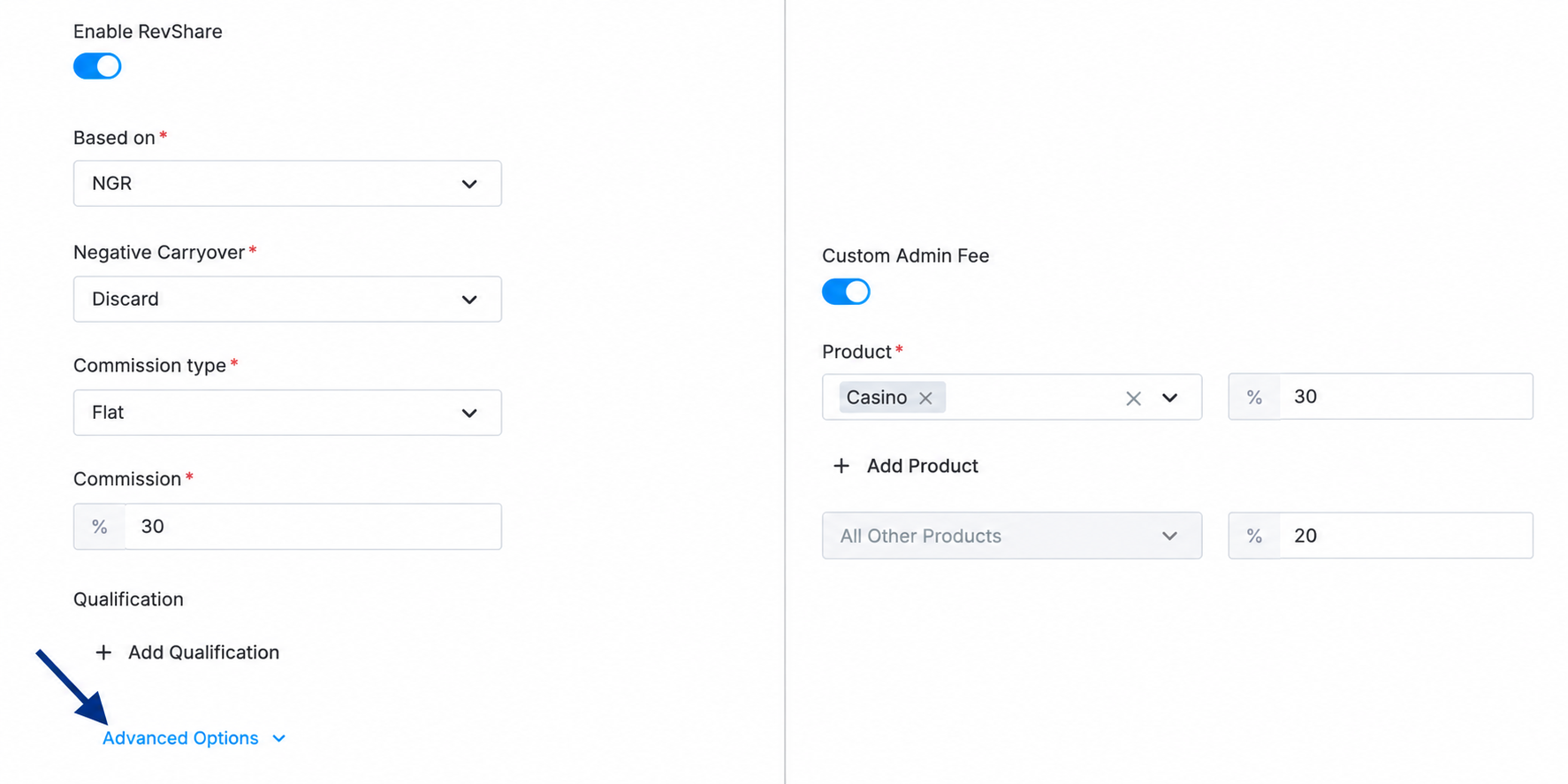
💡 The Custom Admin Fee is applied as part of the regular RevShare calculation. The figures are updated according to the normal RevShare cycle rather than immediately after saving the setting.
High-Roller Policy
The High-Roller Policy allows you to temporarily exclude players from RevShare payouts when their monthly winnings exceed the configured threshold. This setting can be used on RevShare plans without negative carryover to protect the plan from losses caused by high-roller players.
Example. Set a Threshold of 5,000 on Monthly NGR. If a player's month-to-date NGR reaches -5,100, the player has exceeded the configured threshold. The player is then excluded from RevShare payouts starting from the next day's check. Once the player's figures recover back to zero, the player is automatically reinstated and RevShare resumes.
How to set it up. High-Roller Policy is available on RevShare commission blocks only when Negative Carryover on the same block is set to Discard. The Metric can be set to Monthly GGR or Monthly NGR. If you don't see this option, contact our Support team.
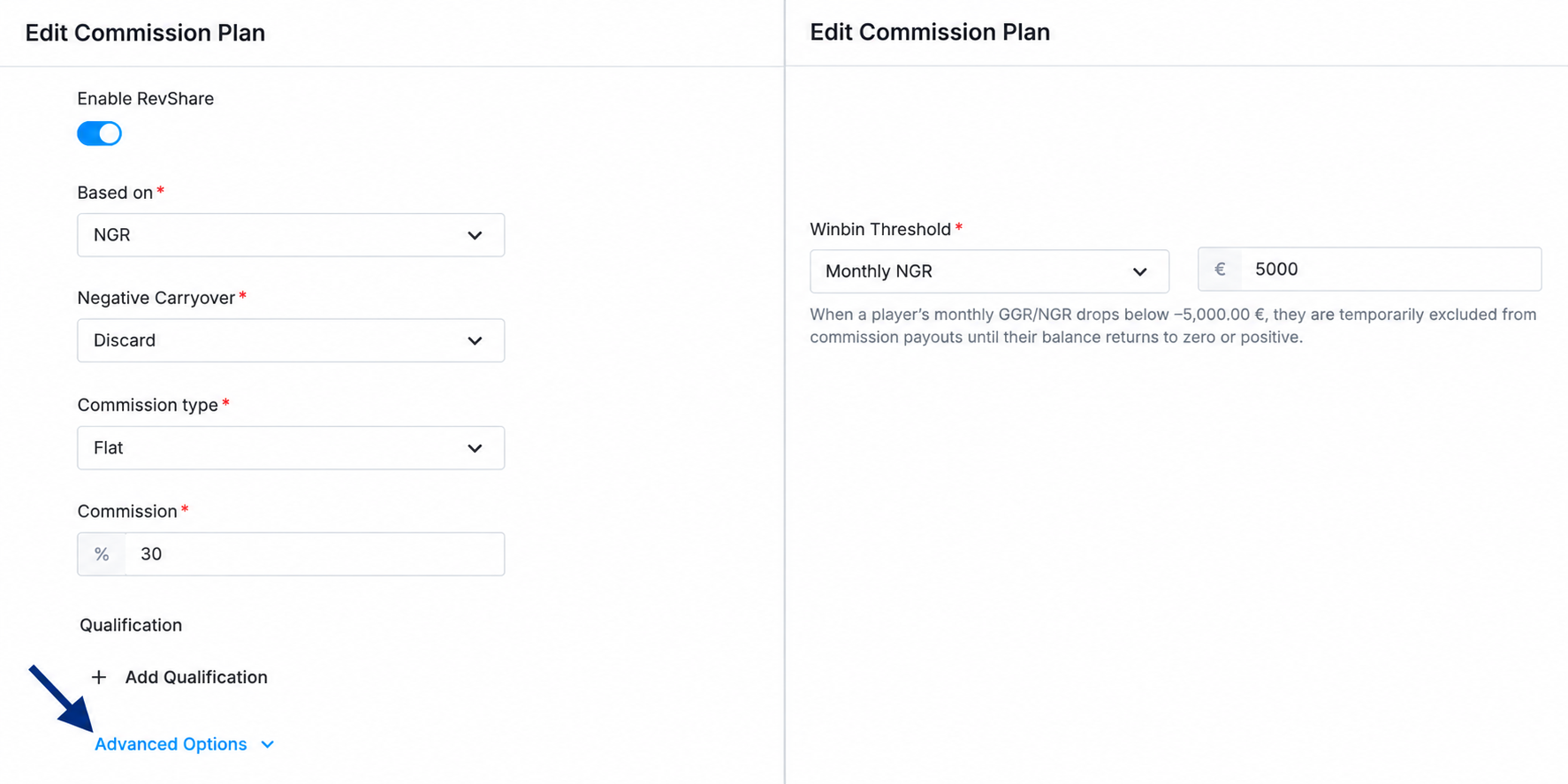
💡 The High-Roller check runs once a day, so exclusion starts on the day after a player crosses the threshold. To be reinstated, the player must lose back the entire amount they were up by, not only the threshold amount. Changing the Threshold does not affect players who have already been excluded. Each excluded player must recover their own amount before being reinstated. While excluded, a player does not appear in commission reports for the corresponding period.
Putting It Together
Advanced Commission Plan settings can be combined to configure different conditions for specific markets, products, and affiliates.
For example:
- Launching in a newly licensed market — assign the Commission Plan to the market's landing page, add the required countries to Allowed, and set Currency to the currency used to pay local affiliates.
- Negotiating with a top RevShare affiliate — set a Custom Admin Fee for the highest-volume product and enable High-Roller Policy to protect the plan from losses caused by a high-winning player.
- Running CPA in a market where cancellations are common — add a Hold Period so conversions remain Pending for the required period, and use Denied Countries to exclude unwanted regions.
If you need help configuring these settings for your program, contact your Customer Success manager.