Operator Platform - Building Affiliate Tracking Links
This article explains how to generate an affiliate tracking link without missing any required parameters. It provides examples with different parameter sets, showing where to specify the landing page ID, the creative ID, and which parameter is specifically designated to pass the affiliate click ID.
In this article
Where to find the Link Builder?
As a manager, you need to log in as the affiliate to generate a tracking link for an affiliate. The link builder found in the manager's profile does not include the mandatory c parameter which specifies the commission plan ID, so logging in as an affiliate is recommended.
If the c parameter is not specified during the link generation, the lead (player) will be assigned the brand's default commission plan.
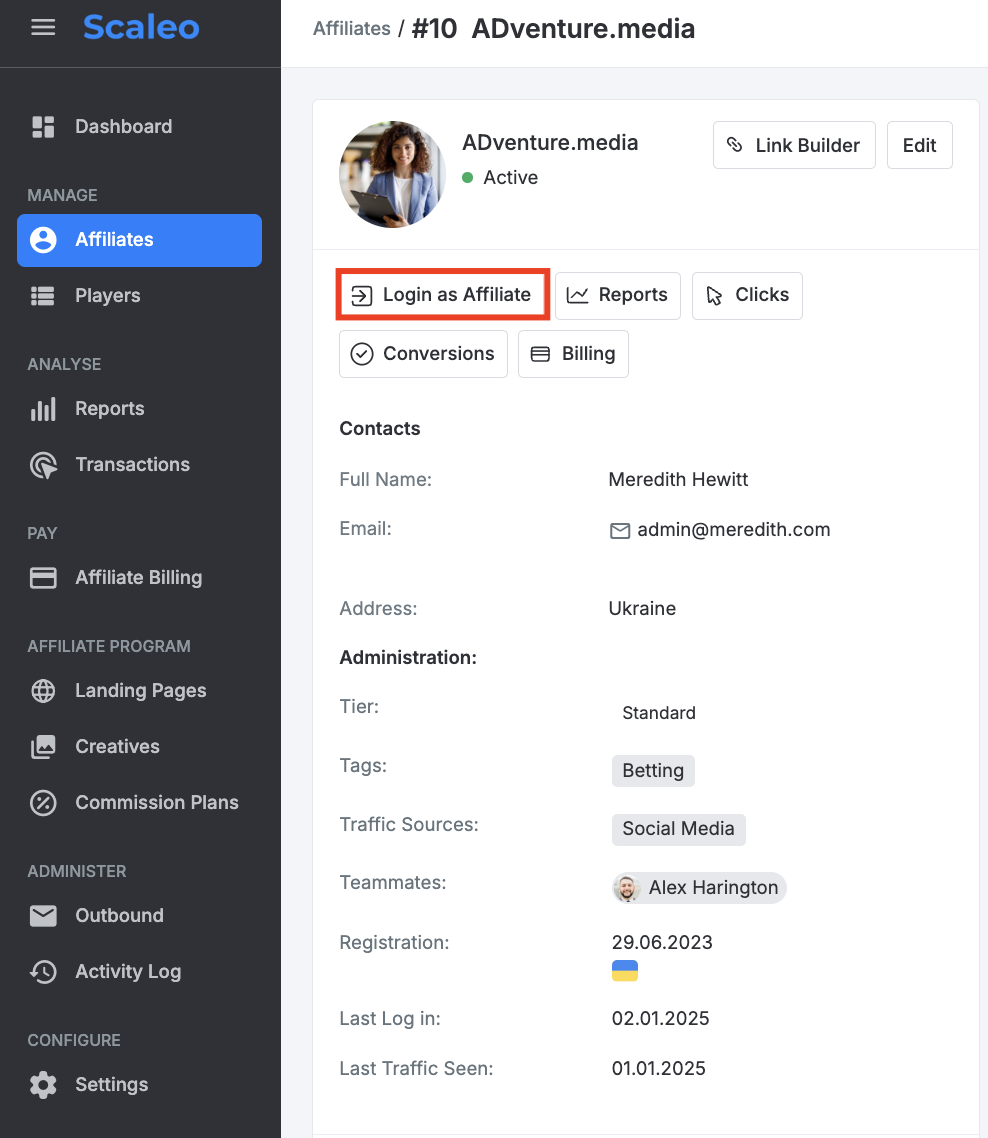
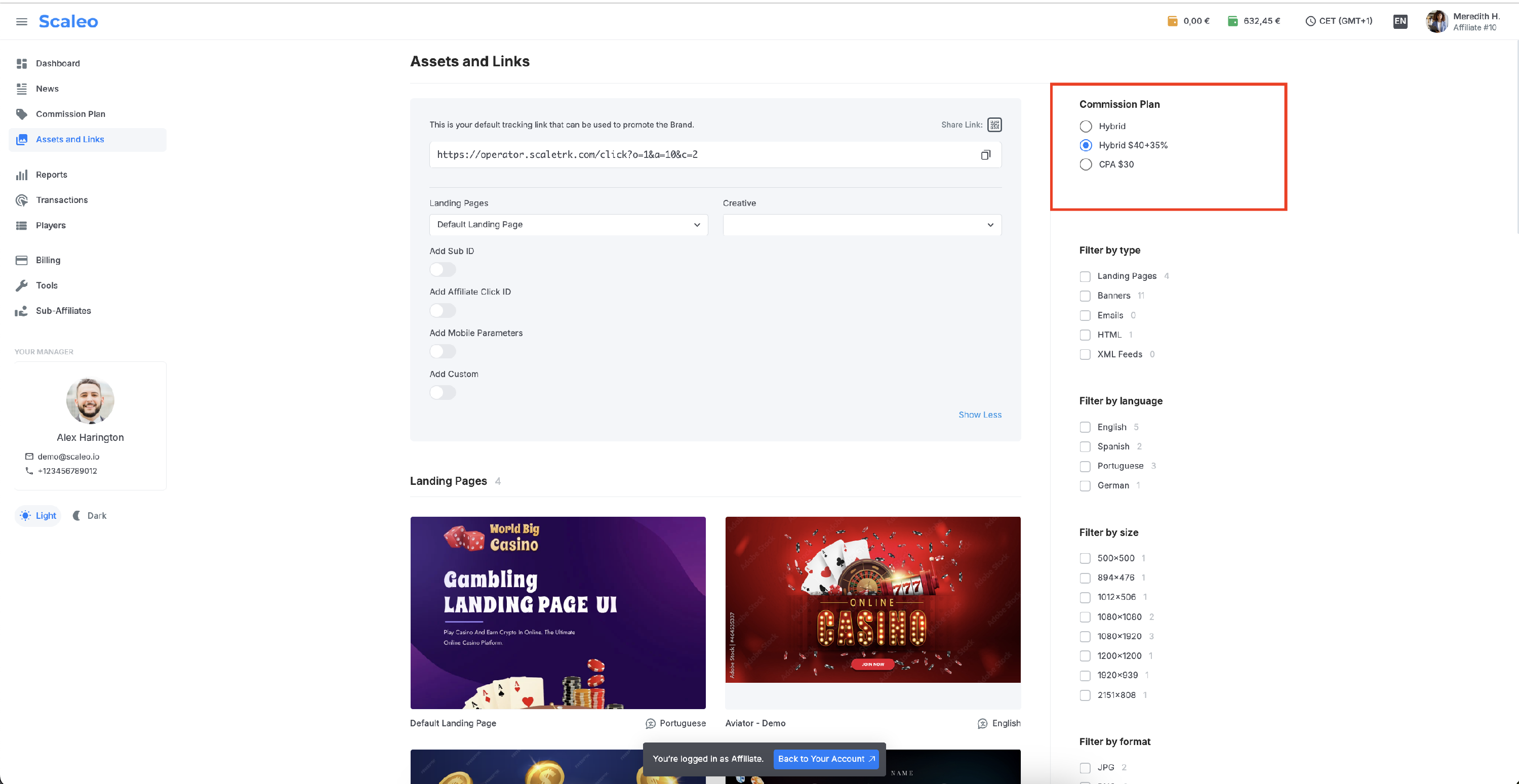
In the right sidebar menu, navigate to the Assets and Links section. At the top of the page, find the Link Builder block with the default tracking link for the recently assigned affiliate commission plan.
To access more options for parameter configuration, click Advanced.
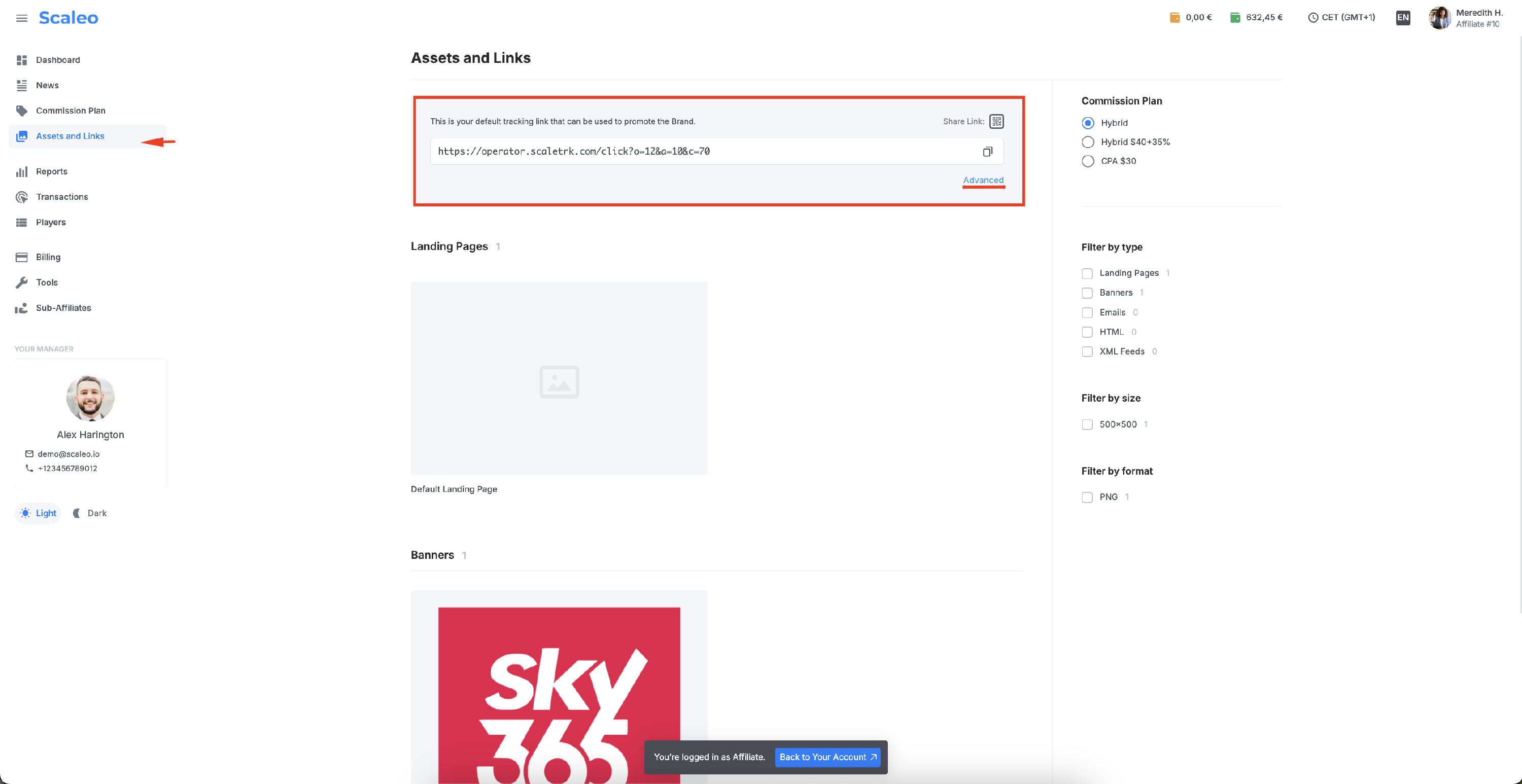
To change the commission plan, for which the link is being generated, use the Commission Plan block located in the top left corner. Here, you should select the plan for which the link is being created.
The value of the c parameter will automatically update to the appropriate value.
Mandatory Parameters, Affiliate Click ID, and Additional Parameters
By default, the tracking link always contains three mandatory parameters: a, o, and c.
https://operator.scaletrk.com/click?o=1&a=10&c=2
- a=10 - represents the affiliate ID 10.
- o=1 - represents the brand ID 1.
None of these parameters can be removed or altered, as doing so would result in an invalid click.
- c=2 - as mentioned earlier, defines the commission plan with ID = 2. If this parameter is not passed, the client will be assigned to the default commission plan, which might significantly affect the future calculation of the affiliate's commission.
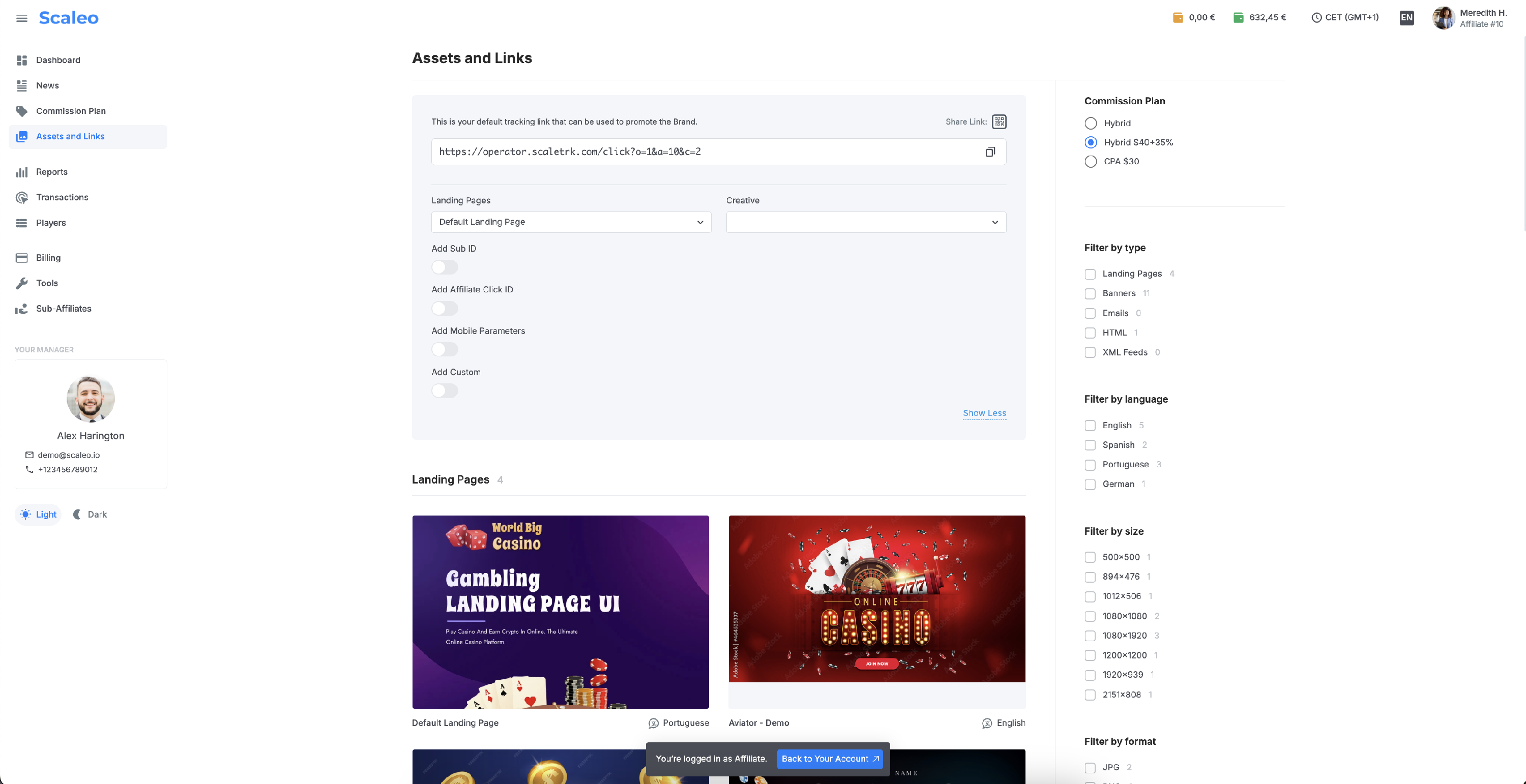
Affiliate Click ID is a click generated on the affiliate's side; it's a user identifier that belongs to the affiliate's system. In the Scaleo system, there is a specific parameter for this purpose, affiliate_click_id. However, affiliates are not required to pass their click ID exclusively in this parameter—it can also be passed using one of the sub_id1-5 parameters. It’s essential to understand that while there’s a dedicated parameter for this, it’s recommended to use it.
Why should affiliates pass their click ID?
In most cases, affiliates will need to retrieve information about registrations, deposits, and commissions back into their systems. To achieve this, they need to configure postbacks. For their postbacks to function correctly, they must pass their click ID into the tracking link.
If the affiliate does not include their click ID in the tracking link, this data will be absent from the Scaleo platform. Consequently, their postbacks will fail with an error from their system, indicating an invalid request (400).
Detailed instructions for setting up an affiliate postback can be found here
.
Here’s an example where the macro {subid} from the affiliate's system is used. After integrating the tracking link into their system, this macro will function as a variable and store the affiliate's click value in the affiliate_click_id parameter. This value will also be recorded within the Scaleo system.
Example Tracking Link with Macro Integration:
https://operator.scaletrk.com/click?o=1&a=10&c=2&aff_click_id={subid}
In this setup:
- {subid} is a placeholder for the affiliate’s system.
- When a user clicks on the link, the affiliate system dynamically replaces {subid} with the actual click ID.
The resulting click ID is then passed to Scaleo under the affiliate_click_id parameter for proper tracking and future postback functionality.
This ensures seamless integration and proper data flow between the affiliate's and Scaleo's systems.
Additional Information Passed in Sub-Parameters in iGaming
Affiliates can use additional parameters like sub_id1-5, aff_param1-5, or custom1-10 to send supplementary information, markers, or sources. These parameters can carry both static and dynamic values generated by the affiliate's system.
Examples of Information Affiliates Can Pass (not limited to these):
- Traffic Source or Campaign Information
- sub_id1=facebook_ad_123
- sub_id2=google_search_campaign
- sub_id3=email_newsletter_winter2025
- Creative or Placement Identifiers
- aff_param1=creative_banner_01
- aff_param2=landing_page_casino_bonus
- aff_param3=slot_ads_promotion
- Time-Sensitive Campaign Data
- sub_id4=promo_week_51
- sub_id5=weekend_flash_sale
- Game or Product Preferences
- custom4=game_blackjack
- custom5=slot_machine_bonus
- Affiliate Click IDs for Internal Mapping
- sub_id1=aff_click_20251225
- aff_click_id=tracking_789XYZ
- Static Tags or Grouping Info
- custom6=high_roller_segment
- custom7=new_user_acquisition
Example of a Tracking Link with aff_click_id and additional parameters:
https://operator.scaletrk.com/click?o=1&a=10&c=2&sub_id1={subid2}&sub_id2=facebook_winter2025&sub_id3=weekend_flash_sale&aff_param1=landing_page_casino_bonus&aff_param2=slot_machine_bonus&aff_click_id={subid}&custom1=new_user_acquisition&custom2=region_Europe
Benefits for Affiliates:
- Detailed Analytics: Affiliates can analyze performance by traffic source, player demographics, or campaign details.
- Postback Optimization: Ensures proper tracking and reporting when combined with postbacks.
- Improved Targeting: Helps affiliates understand which campaigns or channels generate the highest conversions.
By utilizing these additional parameters, affiliates in the iGaming industry can streamline tracking and optimize their marketing efforts.
The general list of parameters and macros available for Affiliates is here
. Additionally, thecustom1 - custom10 parameters can be used to pass any custom data.
Parameters for Landing Pages and Creatives
Affiliates can direct their traffic to different landing pages associated with a single brand. To select a specific landing page, expand the default link builder and choose the desired landing page from the Landing Pages dropdown menu.
The system will automatically append the parameter link_id with the corresponding landing page ID. It’s important to note that this ID must not be altered, as doing so will result in invalid clicks. Additionally, if the value is left empty, the redirect will default to the brand's default landing page.
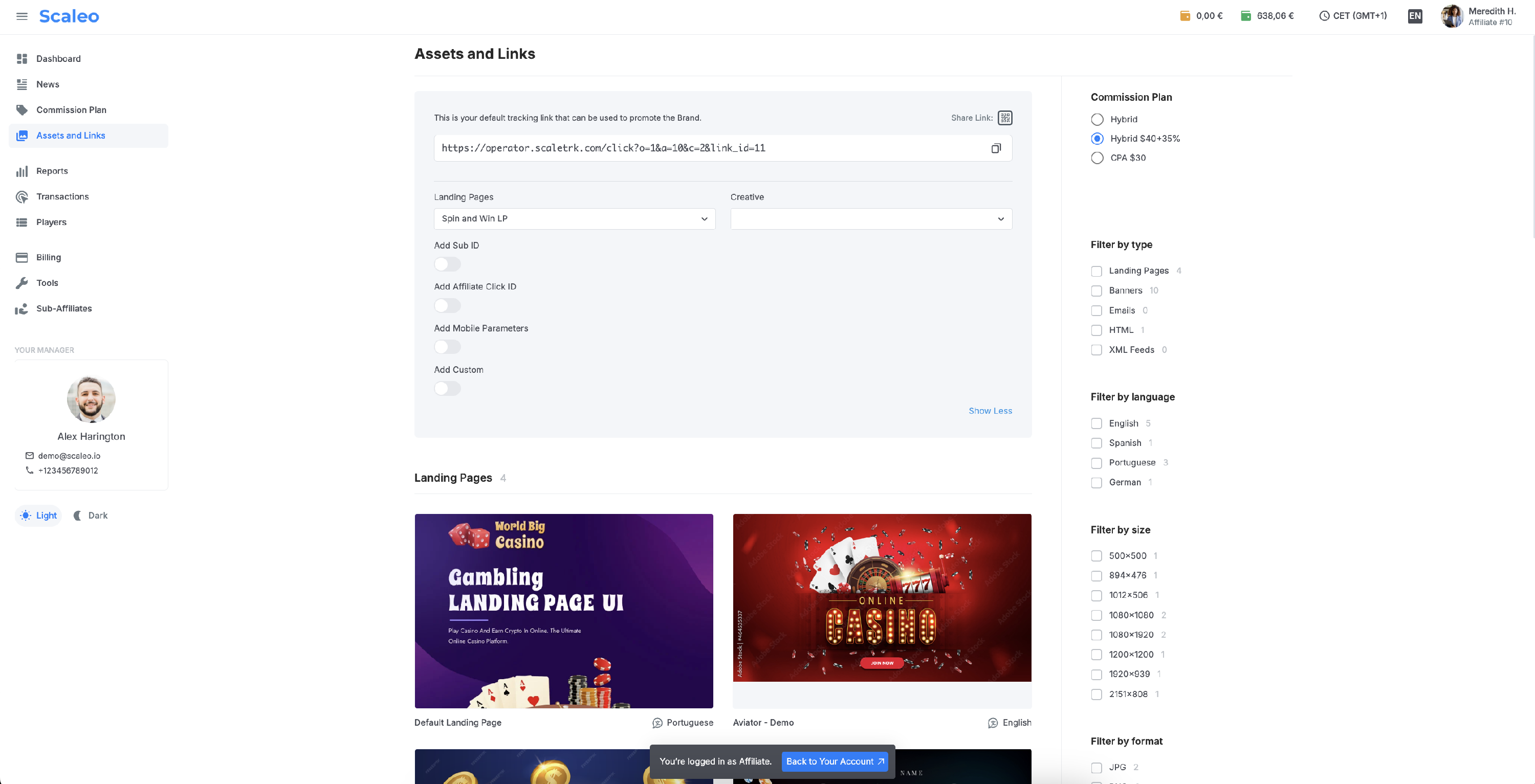
You can also select a landing page in the dedicated Landing Pages section. The landing pages are displayed in a tile format, and clicking on any of them will automatically add the corresponding parameter.
https://operator.scaletrk.com/click?o=1&a=10&c=2&link_id=24
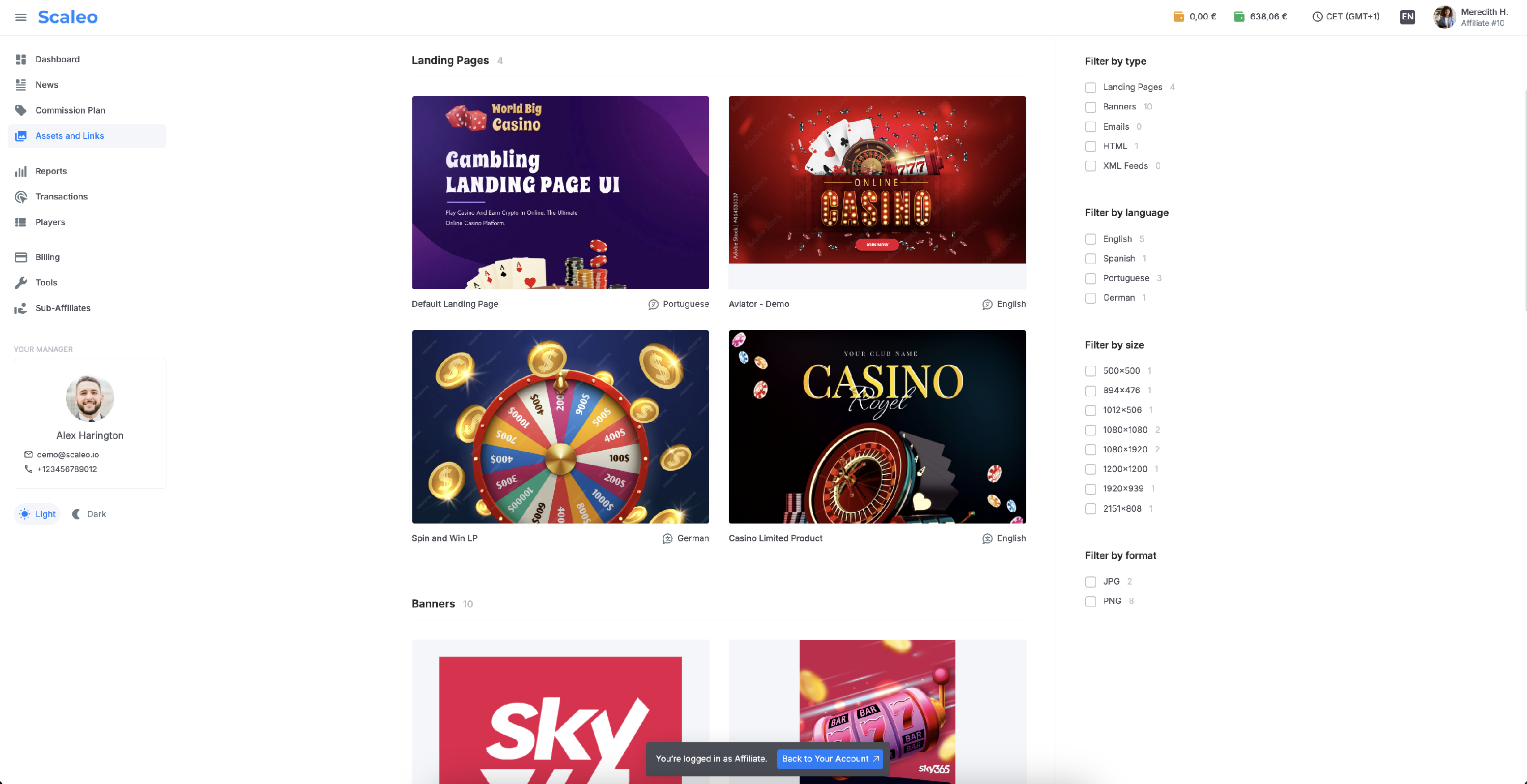
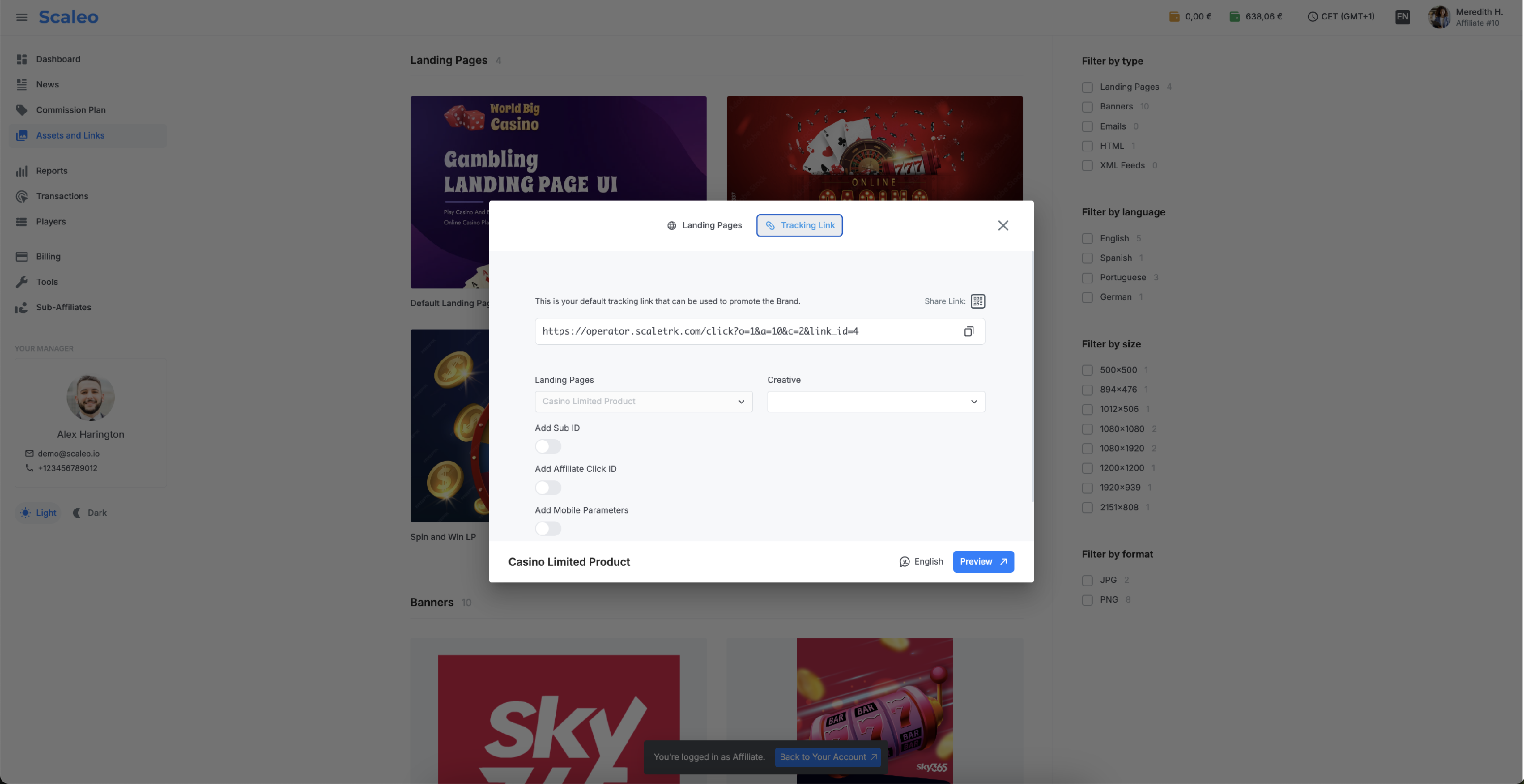
It is not recommended to select creatives directly from the dropdown in the default link builder. This is because creatives are tied to specific landing pages, and choosing them separately may result in invalid clicks.
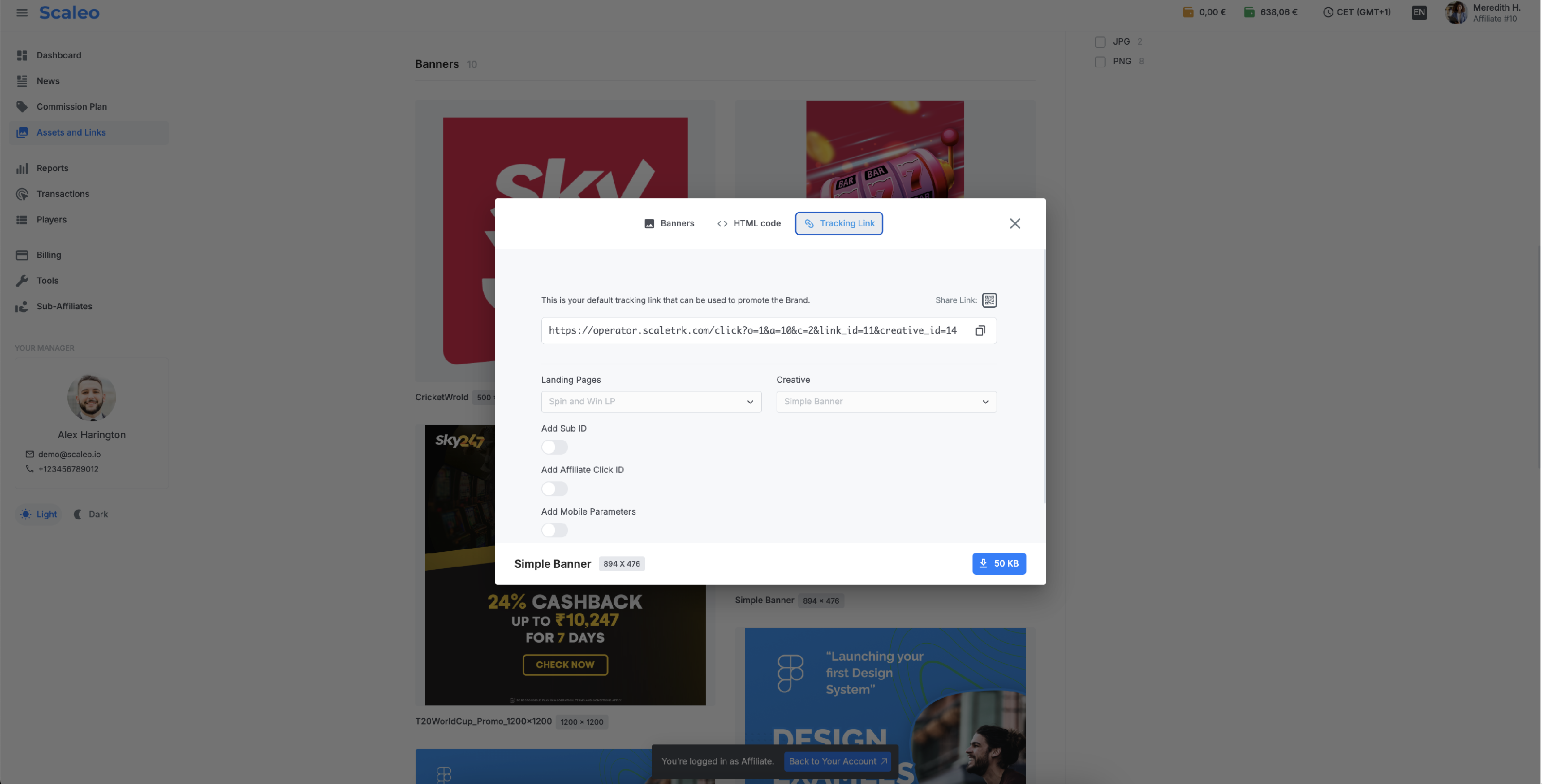
The issue arises when the selected creative does not match the associated landing page. To prevent this, it's strongly recommended to select creatives from the corresponding sections: Banners, HTML, or EMAIL.
In these sections, the system automatically selects the correct landing page and ensures that it cannot be changed. This helps to avoid unnecessary errors and ensures the integrity of your tracking links.
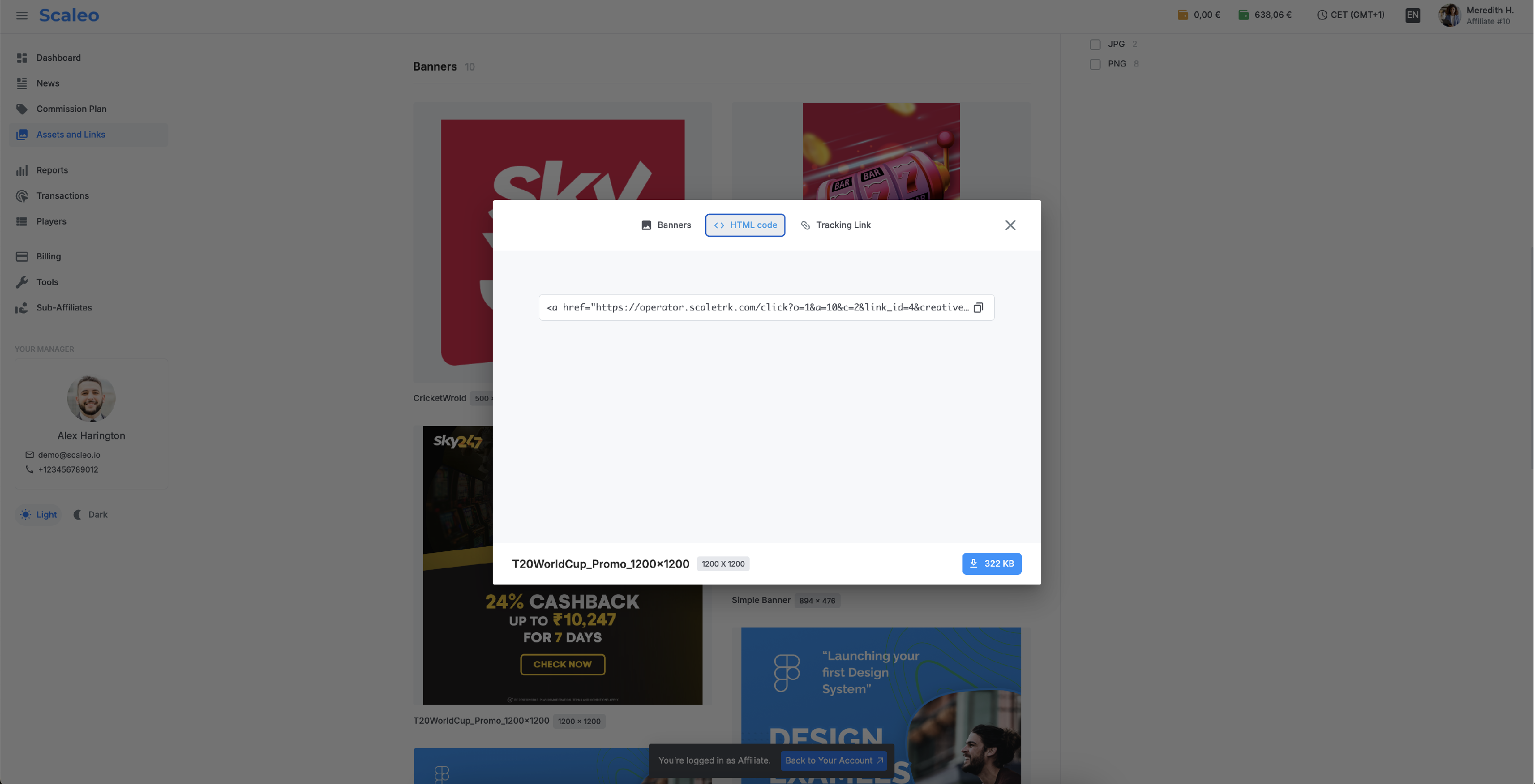
The parameter responsible for the creative ID is creative_id. The banners section also provides a ready-made HTML code that affiliates can copy and download for use in their advertising campaigns.
Example of Tracking Link with creative
https://operator.scaletrk.com/click?o=1&a=10&c=2&link_id=4&creative_id=15